
Picture this: You're a Medicare agent spending thousands on traditional marketing. Meanwhile, potential clients search "Medicare agent near me" and find your competitors instead. You miss out on free, high-quality leads daily.
The truth is, 46% of all Google searches have local intent. Today's Medicare-eligible population is more digitally savvy than ever. They overwhelmingly turn to the internet to make crucial healthcare decisions. This digital migration represents a fundamental shift in how people shop for Medicare.
Medicare agent SEO through Google Business Profile optimization can change everything. This free tool can generate qualified leads while you focus on serving clients. Smart agents who optimize their profiles see their phones ring more often without paying expensive lead generation fees.
You'll learn proven strategies to dominate local search results. Plus, discover tools that automate the process and track results that matter for your business.
Table of Contents
Medicare agent SEO focuses on local search optimization. This strategy helps your business appear when people search for Medicare help in your area. Google Business Profile is your most powerful free marketing tool for this purpose.
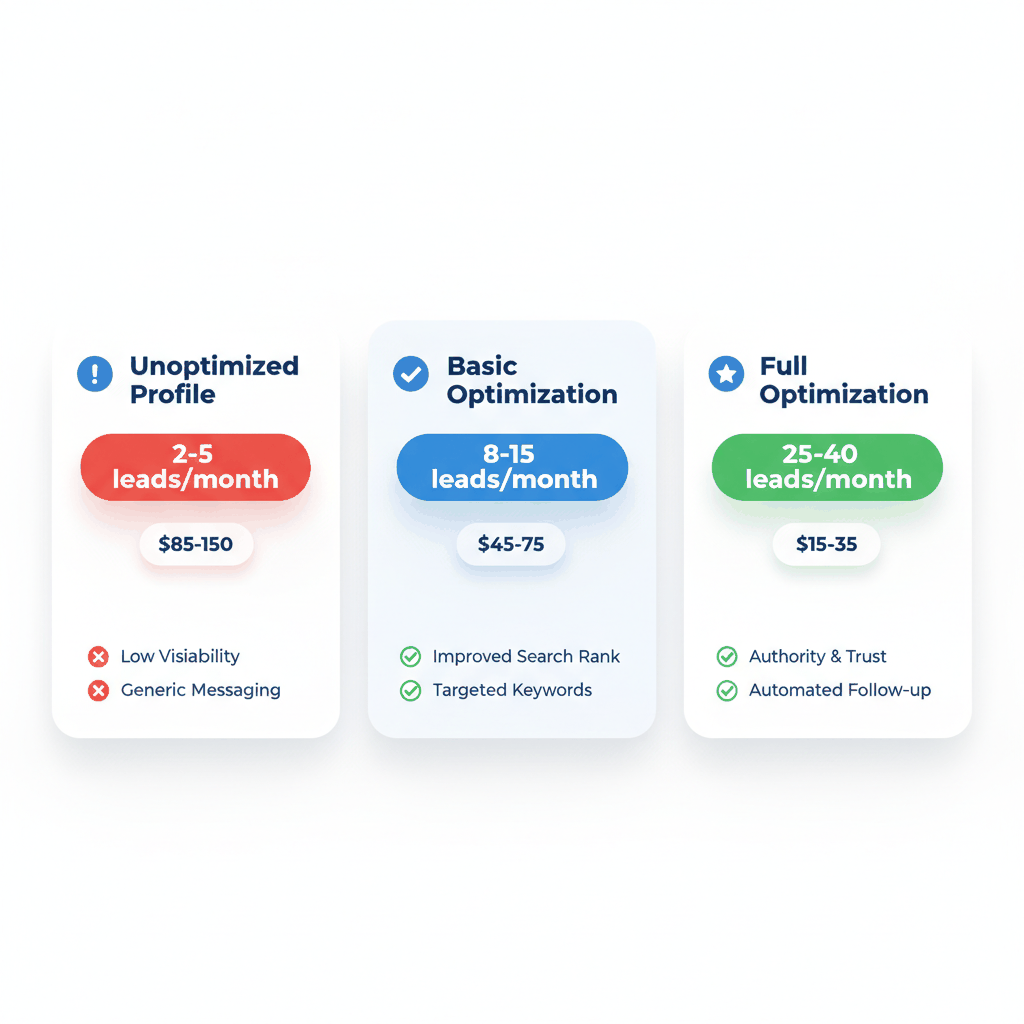
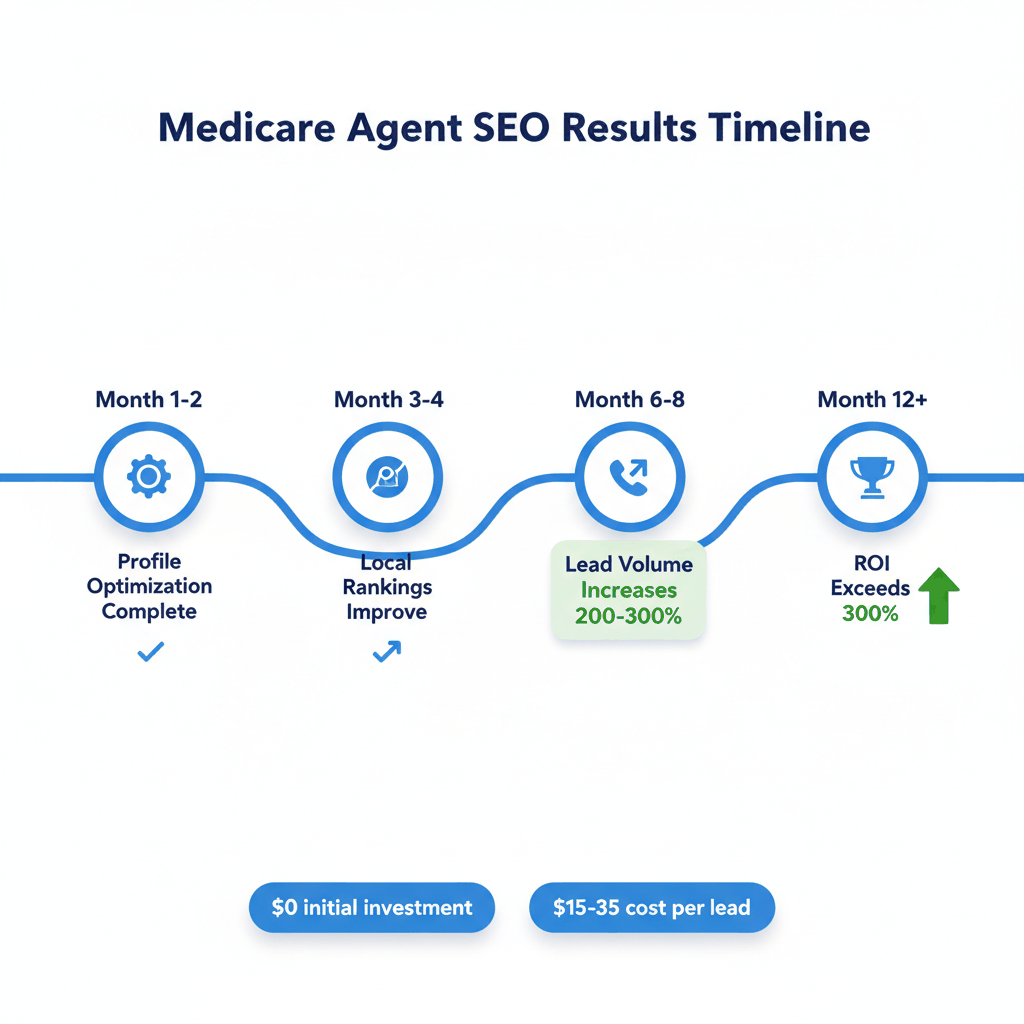
The numbers tell the story. First Page Sage found that the average ROI for a local SEO campaign after three years is over 300%. For Medicare agents specifically, this means more qualified leads without the high costs of traditional advertising.
Google Business Profile optimization beats expensive lead generation companies. Those services often sell the same lead to multiple agents. You compete with 3-5 other agents for each prospect. With local SEO, potential clients find you directly. They're more likely to choose your services because you appear as the local expert.
Your profile appears in three key places: Google Maps, local search results, and the knowledge panel. When someone searches "Medicare insurance local SEO" terms in your city, a well-optimized profile puts you in front of ready-to-buy prospects.
Local searches convert better than general searches. People searching "Medicare agent near me" are ready to talk. They've moved past the research phase. They want to schedule appointments and get personalized help.
According to SOCi's Consumer Behavior Index, 80% of US consumers search for local businesses online at least once per week. Nearly a third search daily. Mobile dominates local search, with 57% of searches happening on mobile devices.
Most Medicare agents make critical errors that hurt their visibility. These mistakes are easy to fix once you know what to look for. Here are the biggest problems we see.
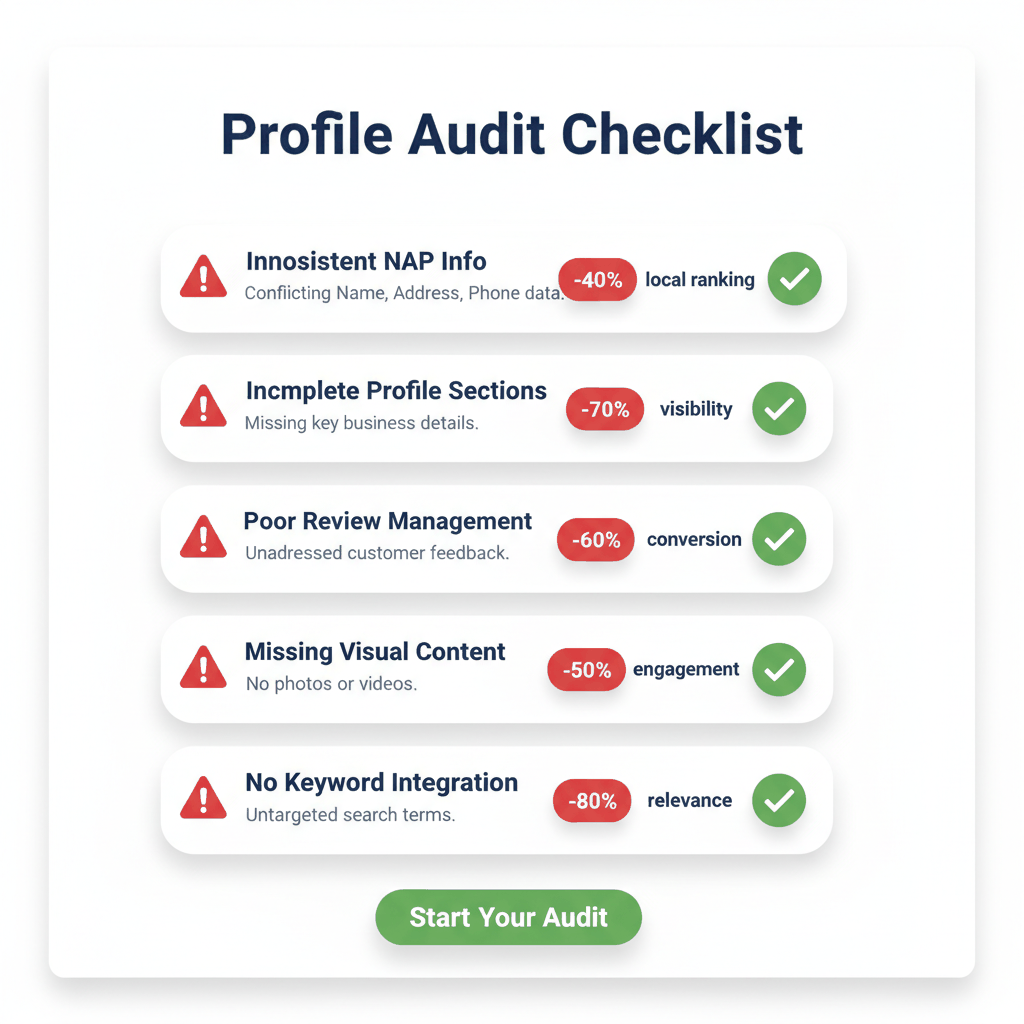
Your Name, Address, Phone number must match everywhere online. Inconsistent NAP information confuses Google's algorithm. This hurts your local rankings significantly.
Check your information across Google, Yelp, Facebook, and your website. Even small differences like "Street" versus "St." can cause problems. Fix these inconsistencies first before any other optimization work.
Google gives you many fields to complete. Most agents fill out the basics and stop. According to WG Content, businesses with complete Google Business Profiles are 70% more likely to attract visits from potential customers.
Complete these often-missed sections:
Services offered with keyword-rich descriptions
Business hours including holiday schedules
Website and phone number verification
Business categories and attributes
Product listings for your Medicare services
Reviews impact both rankings and conversion rates. BrightLocal found that 89% of consumers are more likely to choose a business that responds to all reviews versus one that doesn't respond at all.
Yet SOCi's Local Visibility Index found that 54% of Google reviews never receive a response. This represents a massive missed opportunity for Medicare agents.
Photos and videos make your profile stand out. They also provide more opportunities to include location and service keywords in file names. Most agents either skip photos entirely or use poor-quality images that hurt their professional appearance.
These strategies work for Medicare agents who want consistent, quality leads from local search. Follow this systematic approach to optimize each element of your profile.

Start with your business name. Use your actual business name without stuffing keywords. Google penalizes keyword stuffing in business names. Your legitimacy matters more than short-term ranking boosts.
Choose your primary category carefully. "Insurance Agent" works for most Medicare agents. Add secondary categories like "Insurance Broker," "Medicare Consultant," or "Health Insurance Broker" based on your specific services.
Write your business description with Google Business Profile Medicare keywords. Include your city name, carrier names you work with, and service types. Keep descriptions under 750 characters. Focus on benefits clients receive rather than just listing services.
Include relevant keywords naturally throughout your profile. Target terms like "Medicare agent marketing" and "local Medicare leads" in your posts and descriptions. Don't force keywords where they don't belong.
Use location-based keywords in your posts. Mention your city, nearby neighborhoods, and local landmarks. This helps Google understand your service area better.
For example: "Helping [Your City] residents navigate Medicare enrollment. Our office on [Local Street] has served [Neighborhood] families for [Number] years."
Upload high-quality photos that showcase your professionalism. Include photos of your office, team, and any educational materials you use with clients. Name your photo files with keywords before uploading.
For example, name files: "medicare-agent-chicago-office.jpg" or "medicare-consultation-buffalo-agent.jpg". This provides SEO benefits that most agents miss.
Create short videos introducing yourself and explaining Medicare basics. A 30-second video explaining "5 Things to Know About Medicare in [Your City]" can significantly boost engagement.
Google allows you to publish updates directly on your profile. These posts appear in search results and give you more real estate on the page. They also provide multiple call-to-action opportunities.
Post at least weekly during enrollment periods. Share educational content, client success stories, and timely Medicare updates. Each post can include relevant keywords and location information.
Use these post types:
Educational posts about Medicare changes
Event announcements for Medicare seminars
Service updates and new carrier options
Client testimonials and success stories
Optimization means nothing without conversions. Your profile must turn visitors into leads and leads into clients. Here's how to maximize your conversion potential.
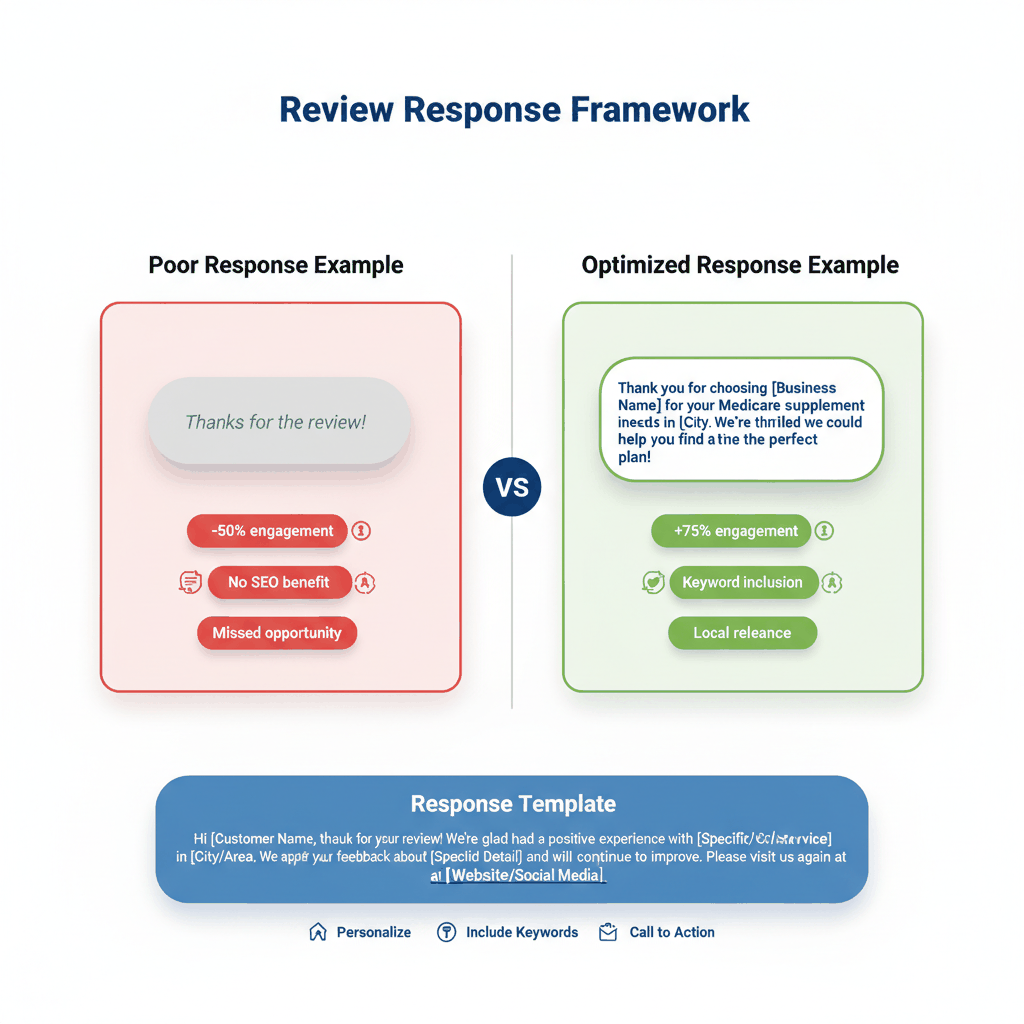
Respond to every review with purpose. Use keywords in your replies to boost your profile's relevance for those terms. Avoid generic responses like "Thanks for the review!"
For positive reviews, try: "We're so glad we could help with your Medicare supplement search in [City]. Thanks for choosing [Business Name] for your insurance needs!"
For negative reviews, respond professionally and include your location: "We apologize for any confusion about your Medicare options. Please call our [City] office so we can resolve this immediately."
Your profile needs clear next steps for potential clients. Use the appointment booking feature if available. Add a prominent phone number that goes directly to you or your team.
Include specific calls-to-action in your posts: "Schedule your free Medicare review today" or "Call now for personalized Medicare plan comparison."
Semrush data shows that the top 3 local results average 561 Google reviews and maintain a 4.8 star rating. Reviews matter for rankings, not just conversions.
Every 10 new reviews a business earns increases the conversion rate by 2.8%. For every 25% of reviews that a business responds to, the conversion rate improves by 4.1%.
Set these goals for your Medicare agent SEO efforts:
Maintain 4.5+ star rating
Respond to 90%+ of reviews within 24 hours
Post new content weekly during enrollment periods
Update business information monthly
The right tools make profile management easier and more effective. Here are the best options for different budgets and needs.
Start with Google's free tools. Google Business Profile Manager lets you claim and manage your listing directly. Google Search Console provides detailed tracking of your search performance.
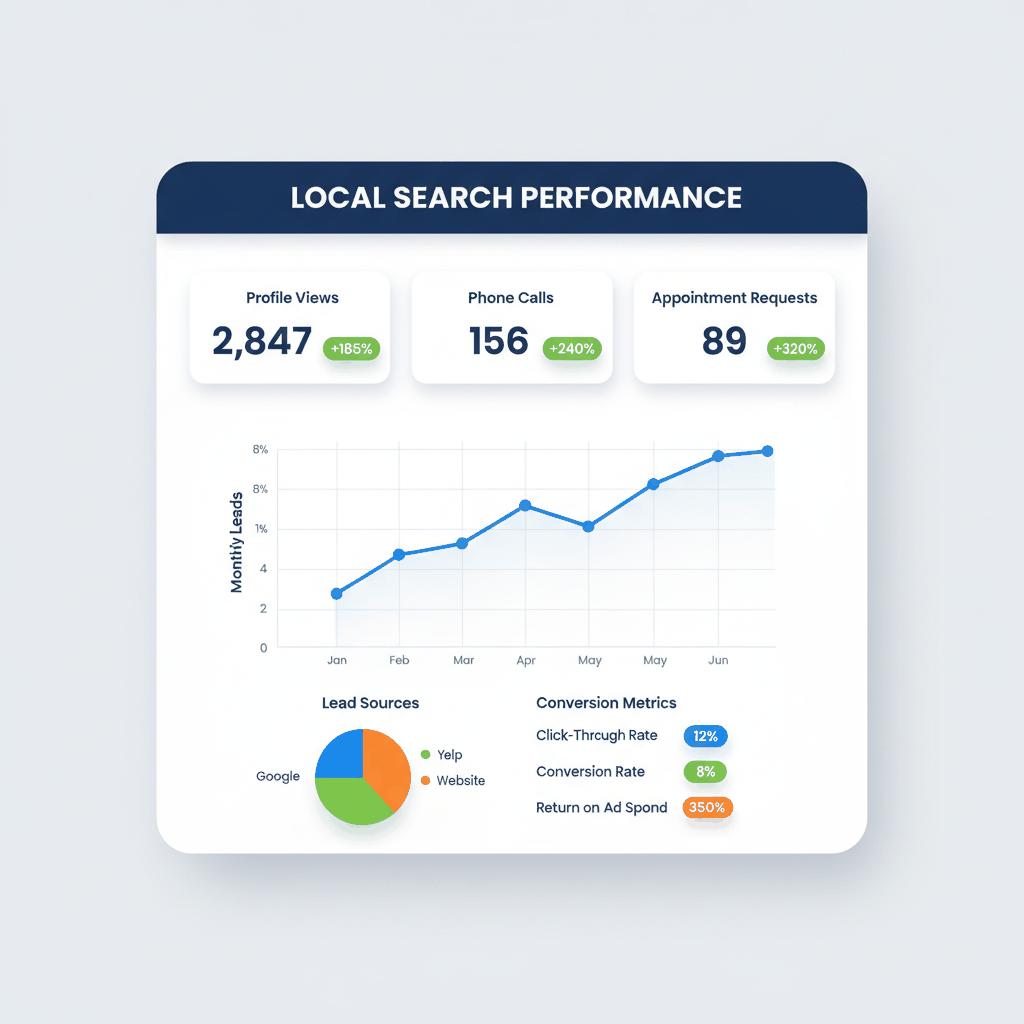
Google Analytics helps you track website visits from your profile. Set up goals for contact form submissions and phone calls. This data shows which optimization efforts drive real business results.
Use Google's free mobile app to respond to reviews quickly. Fast responses show Google and potential clients that you're active and engaged.
Semrush Local provides optimization recommendations you can implement directly from their dashboard. Pricing ranges from $30-$60 per month per location.
Merchynt's Paige offers automated AI SEO tools. Paige is considered a "marketing agency in a box" that requires minimal setup knowledge. Over 10,000 small businesses use Paige for automated local marketing campaigns.
Thryv's optimization tool sends your listing updates to over 40 online directories. This expands your online presence beyond just Google.
Automated review response tools save time while maintaining personalization. These tools detect positive and negative reviews and respond appropriately. They generate unique outputs each time, so responses feel authentic.
Look for tools that let you customize responses with your location and service keywords. This automation provides SEO benefits while managing your online reputation efficiently.
Track these key metrics monthly:
Profile views and search queries
Website clicks and phone calls
Direction requests to your office
Photo views and engagement
Review quantity and response rate
SEO continues evolving rapidly. Stay ahead of these trends to maintain your competitive advantage in local Medicare marketing.
Zero-click searches represent 60% of searches in 2026. Users get answers directly on search results pages without clicking through to websites. More than half of local terms now trigger AI overviews.
This means your Google Business Profile information becomes even more critical. Complete, accurate information helps you appear in these AI-powered results. Focus on tracking impressions and overall search presence rather than just website visits.
Mobile dominates local search behavior. Optimize your profile for mobile users first. This includes fast-loading photos, mobile-friendly contact methods, and easy appointment scheduling.
Voice search continues growing for local queries. People ask "Who's the best Medicare agent near me?" instead of typing keywords. Include conversational phrases in your profile content.
Video content performs better in local search results. Create short, helpful videos explaining Medicare topics. Post these directly to your Google Business Profile for maximum visibility.
Live video during Medicare enrollment periods can significantly boost engagement. Consider hosting brief Q&A sessions or Medicare updates via live video posts.
How long does Google Business Profile Medicare optimization take to show results?
Most Medicare agents see improved local search visibility within 4-8 weeks. Full optimization results typically appear within 3-6 months. Consistency with posting and review management accelerates these timelines significantly.
What's the best way to get more reviews for Medicare agent SEO?
Ask satisfied clients directly after successful enrollments. Send follow-up emails 2-3 weeks after Medicare plan activations. Provide direct links to your Google Business Profile review section to make the process simple.
Should Medicare agents use paid ads or focus on local Medicare leads through SEO?
Start with Google Business Profile optimization first. This free strategy provides long-term results and higher-quality leads. Add paid advertising once your organic presence is optimized and generating consistent results.
How often should Medicare agents post on their Google Business Profile?
Post weekly during Medicare enrollment periods. Monthly posts work well during off-seasons. Focus on educational content, Medicare updates, and local health insurance news that helps your community.
Can Medicare broker optimization help with compliance concerns?
Yes, proper profile optimization demonstrates transparency and professionalism. Include your licensing information, service areas, and clear contact information. This builds trust while meeting regulatory expectations for Medicare marketing.
Ready to grow your medicare lead generation? Sign up for free with ResultCalls today!

Hello everyone! My name is Alex and I write these blogs to help educate small business owners on different ways to grow their business. My goal is to make lead generation as easy as possible for you. After reading these blogs, I hope you leave with some actionable steps that will get you closer to growing your business :)